Documentation › User manual › Spreadline desktop program
Quant Workspace & Bots
This is where you study two prices that you trade as a pair (each one is a "leg"), turn the study into a strategy and run it as a bot. The in-app Guide walks through a full example.
-
Open Quant Workspace & Bots and press + New study (or open one of your studies).
-
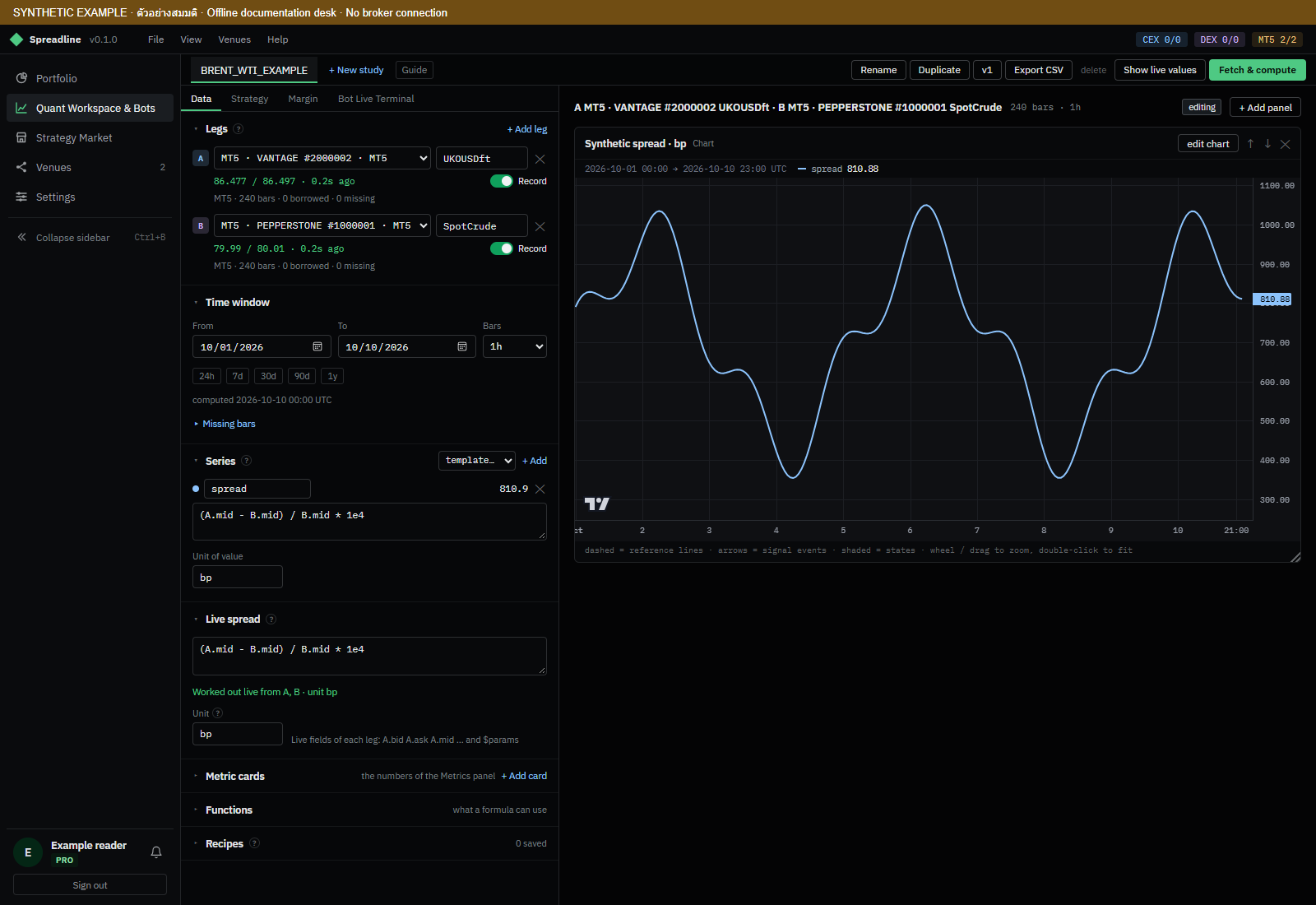
Data: choose the MT5 legs (two in this example; the screen supports up to four), set the time window and press Fetch & compute. Check how many price bars can be used, and the spread formula (how the gap between the prices is worked out).
 View full image
Synthetic example: invented accounts and prices. This picture is not trading or test evidence. -
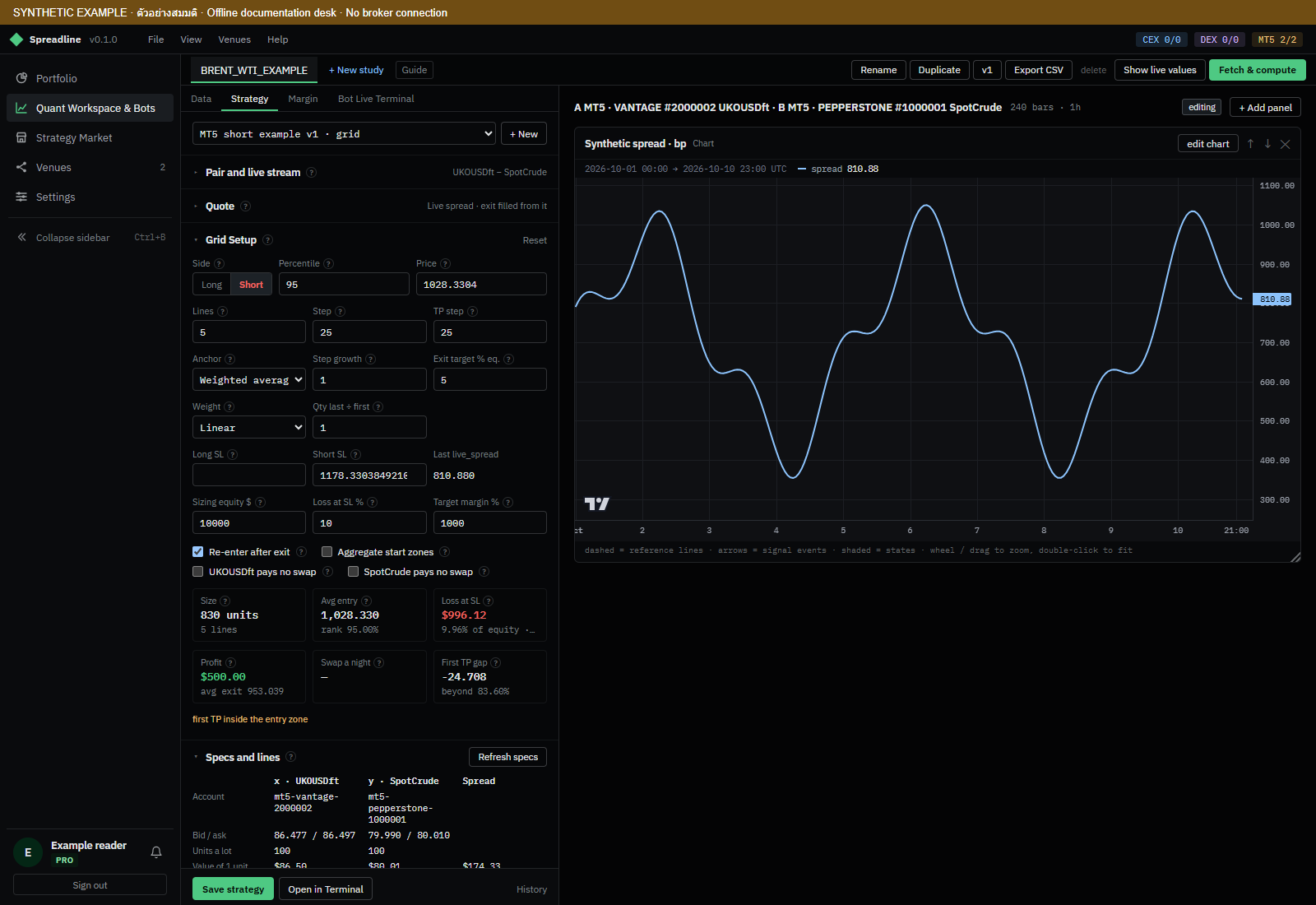
Strategy: set the grid (Lines, Step, TP step, SL and Loss at SL %). The grid is a ladder of price levels where the bot enters and exits. Then check the computed sizes, units and the Readiness rows.
 View full image
Synthetic example: invented accounts and prices. This picture is not trading or test evidence. -
Margin: see how much margin (deposit money) each leg needs.
-
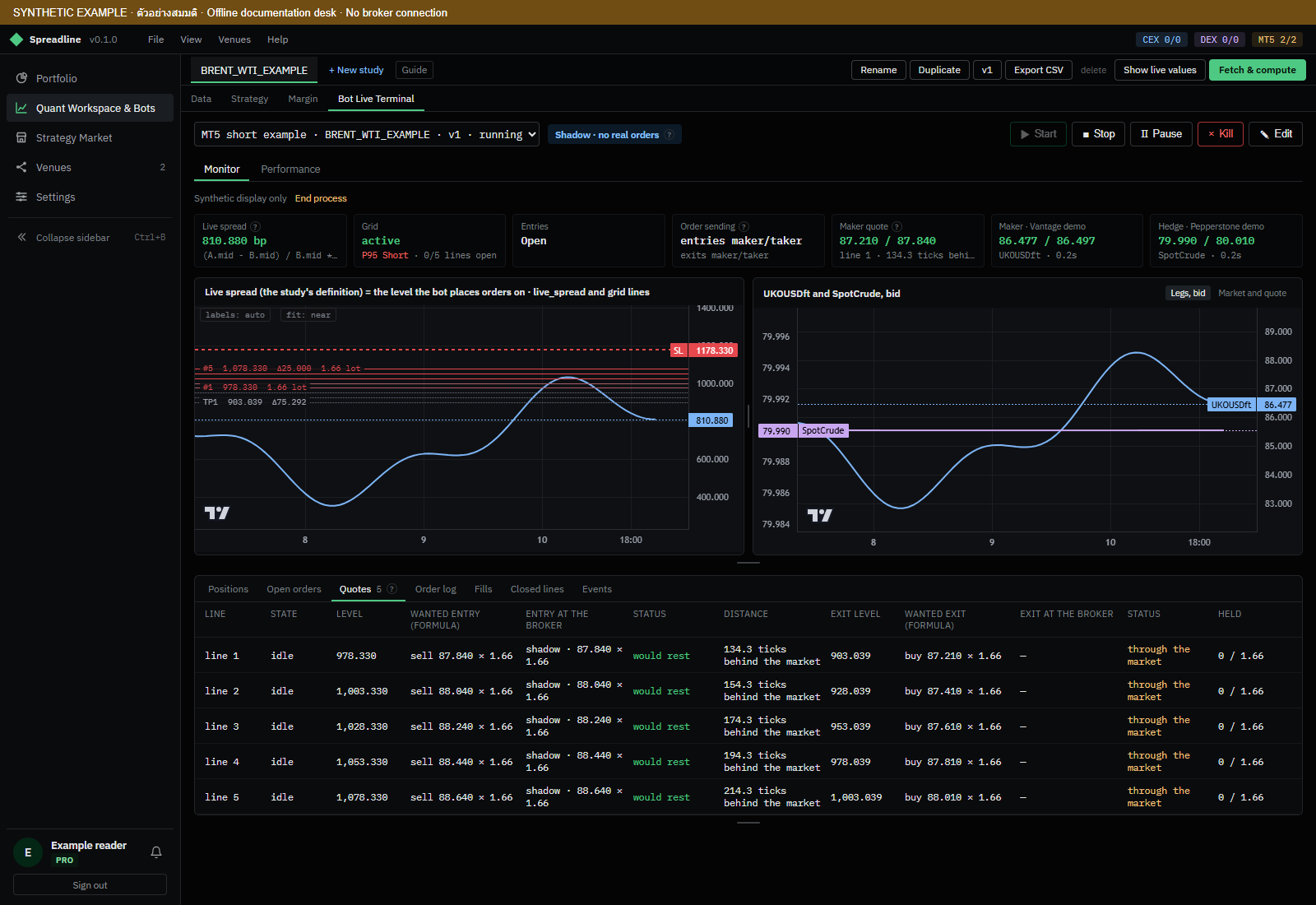
Bot Live Terminal: start the strategy, first in Shadow (a test run with no real orders). See "Shadow and Live".
 View full image
Synthetic example: invented accounts and prices. This picture is not trading or test evidence. -
For a complete worked example, press Guide next to + New study: the in-app Guide goes through a whole case step by step.
- Quant Workspace & Bots needs an active licence.
- Guide pictures use invented accounts and prices. They illustrate the controls, not trading results. The Guide can switch between Thai and English.